
Load Testing to Improve Website Speed and Stability

What is Load Testing and Why Does It Matter?
Website speed and stability directly affect user experience, conversions, and SEO rankings. If your website becomes slow during traffic spikes, users may leave before completing purchases or filling out forms.
Load testing is a type of performance testing that checks how your website or application behaves when multiple users access it at the same time. It helps identify server bottlenecks, slow APIs, database issues, and scalability problems before they impact real customers.
In this guide, we will explain load testing in detail, how Apache JMeter works, common performance problems, and best practices.
Understanding Website Performance Problems
Many businesses focus heavily on design and features but ignore performance testing. A website may work perfectly with 5 users, but problems can appear when hundreds or thousands of visitors use it simultaneously.
This becomes especially important during sales campaigns, product launches, festive offers, or high-traffic events. If your server cannot handle user traffic properly, your website may slow down or even crash completely.
Common Performance Issue
Slow Response Time
Pages take too long to load when many users visit the website together.
Server Crashes
The server becomes overloaded and stops responding during heavy traffic.
Database Bottlenecks
Slow database queries affect product pages, checkout, and APIs.
Poor User Experience
Visitors leave the website due to lag, timeouts, or broken functionality.
What is Apache JMeter?
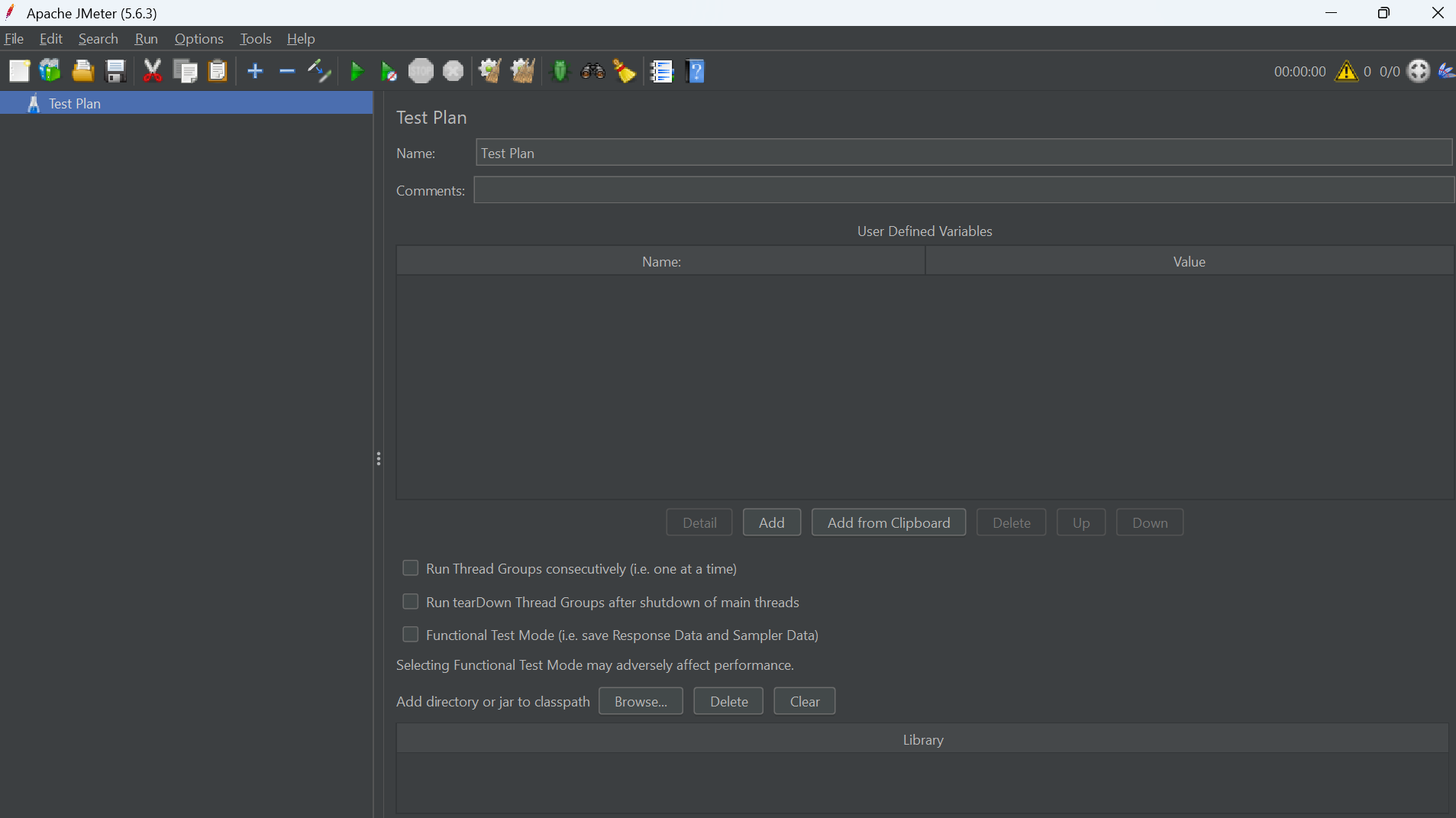
Apache JMeter is one of the most widely used load testing tools. It allows testers and developers to simulate multiple users and measure how web applications perform under different levels of traffic.
JMeter supports websites, APIs, databases, FTP servers, and many other protocols. It is commonly used by QA engineers, developers, and DevOps teams to analyze performance and identify scalability issues.
Apache JMeter interface used for performance and load testing.
Performance analytics and response time monitoring during load testing.
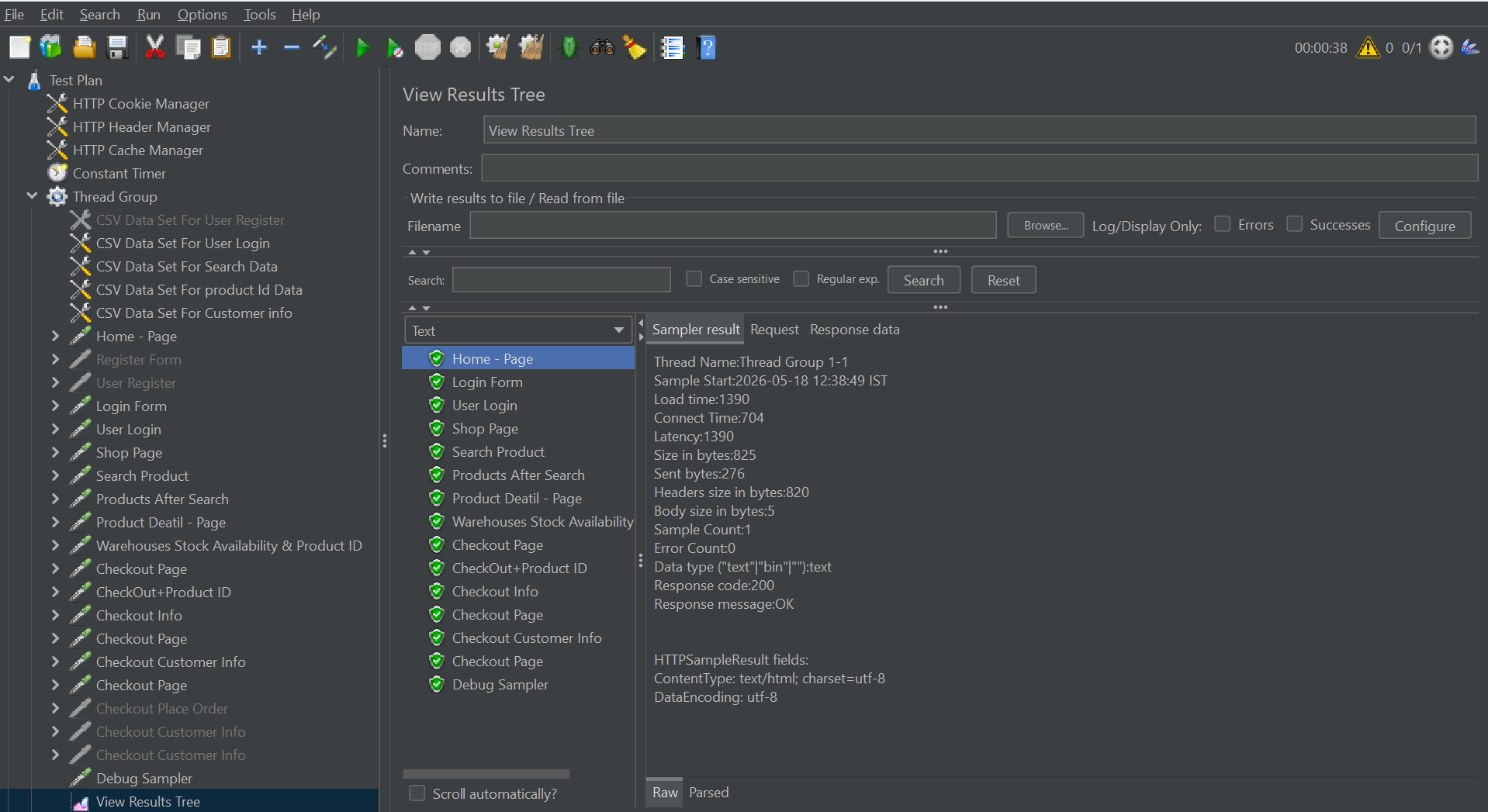 Server monitoring while simulating thousands of virtual users.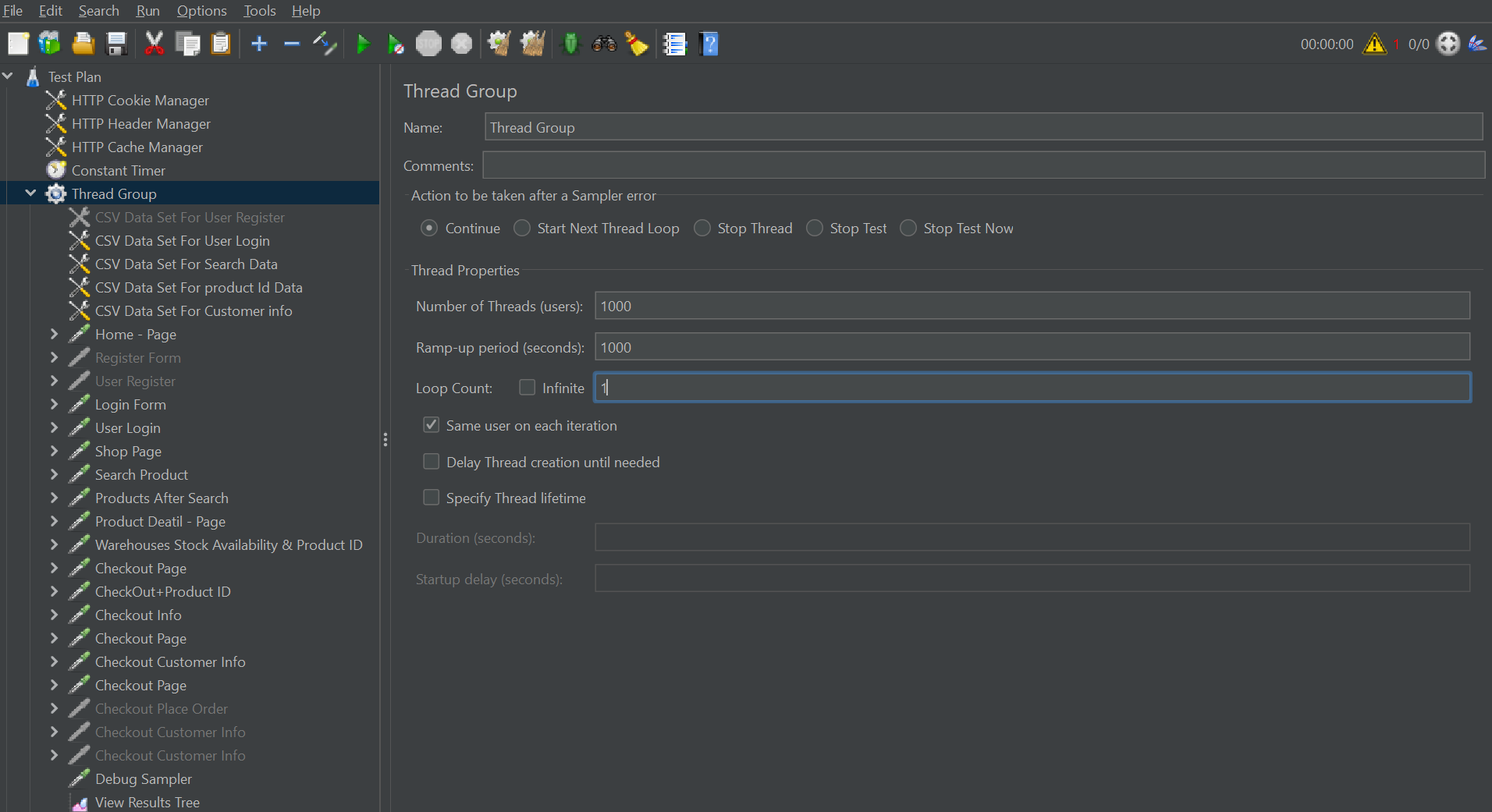
Why Developers Use JMeter
Easy Test Creation
Create test plans using a graphical interface without complex setup.
Detailed Reports
Analyze response time, throughput, latency, and error percentage.
API Testing
Supports REST APIs, SOAP services, and backend performance testing.
Scalability Testing
Simulate thousands of virtual users for stress and load testing.
How Load Testing Works in JMeter
A typical load testing workflow starts with creating a test plan. In JMeter, testers define the number of users, requests, test duration, and target URLs.
JMeter then sends virtual traffic to the application and collects performance data. This data helps identify where the application becomes slow or unstable.
| Testing Step | Description |
|---|---|
| Create Test Plan | Define target URLs, APIs, and user scenarios. |
| Configure Threads | Set the number of virtual users and ramp-up time. |
| Add Listeners | Collect metrics like response time and throughput. |
| Run the Test | Simulate real-world traffic conditions. |
| Analyze Reports | Identify bottlenecks, errors, and server limitations. |
Important Load Testing Metrics You Should Monitor
Understanding performance metrics is critical during load testing. These metrics help developers and testers evaluate how efficiently the application handles traffic.
Response Time
The total time taken by the server to respond to a request.
Throughput
The number of requests processed per second or minute.
Error Rate
Percentage of failed requests during the testing process.
Concurrent Users
Number of users accessing the system simultaneously.
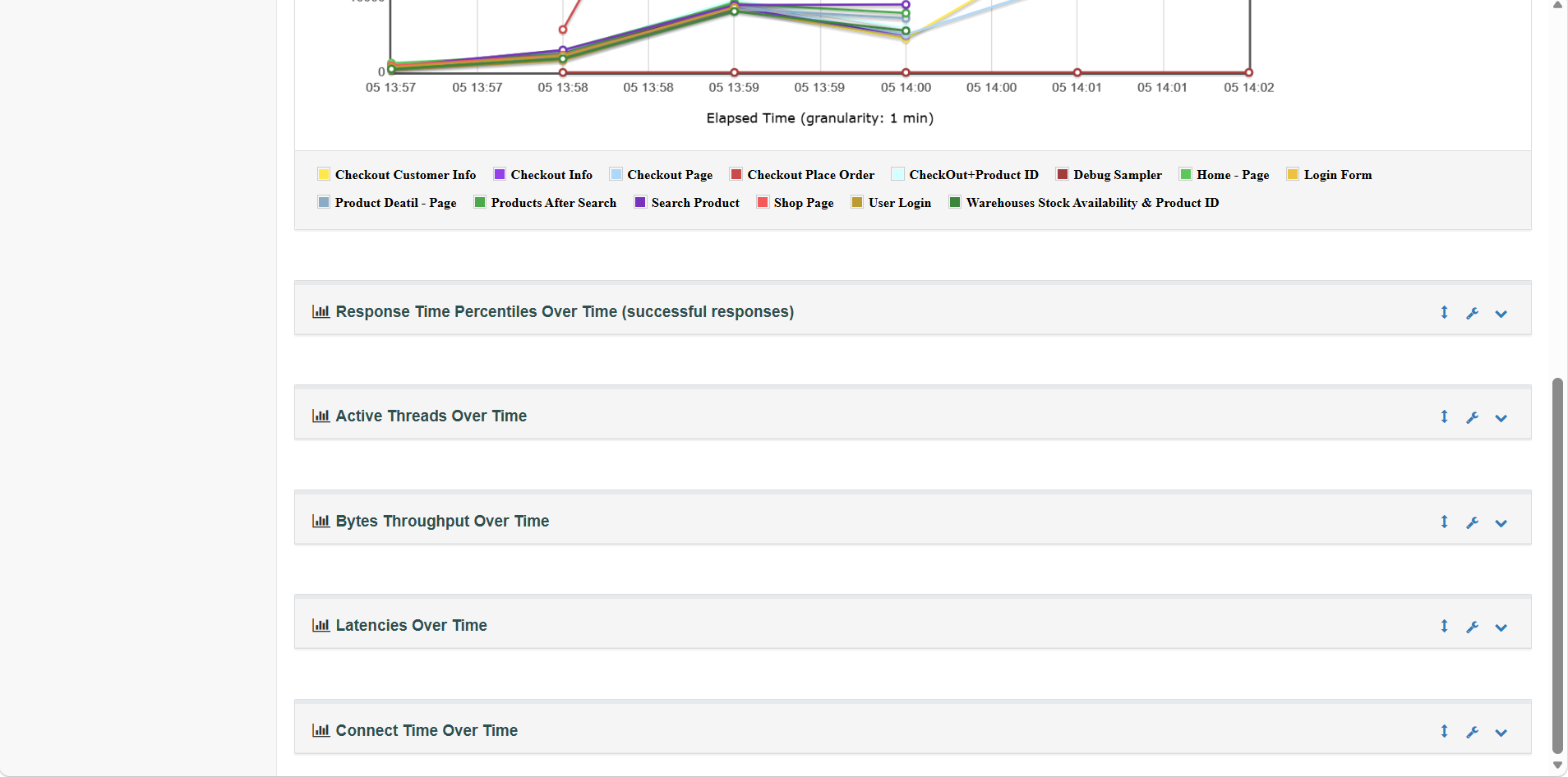
We can also view a proper chart-format report related to load testing
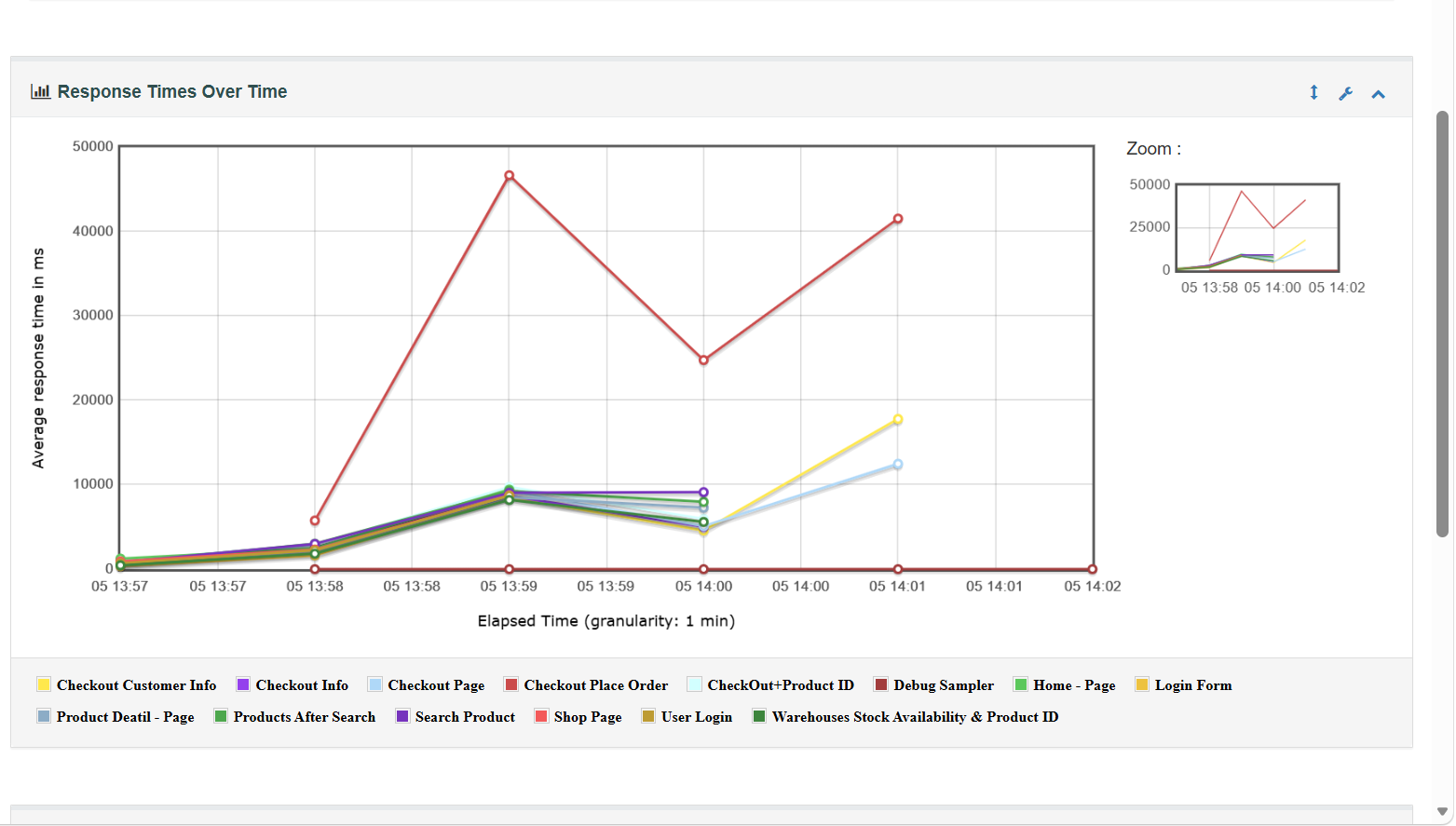
We can view charts in different types, for example: Response Times Over Time, Response Time Percentiles Over Time (successful responses), Active Threads Over Time, Bytes Throughput Over Time, Latencies Over Time, and Connect Time Over Time.
Best Practices for Effective Load Testing
Recommended Practices
- Start testing early during development
- Test realistic user scenarios and workflows
- Monitor server CPU, RAM, and database usage
- Run tests regularly before major launches
- Analyze reports carefully instead of focusing only on speed
- Combine load testing with security and API testing
- Use cloud environments for large-scale simulations
- Optimize slow database queries and APIs
Common Mistakes
- Testing only homepage performance
- Ignoring mobile traffic behavior
- Running unrealistic traffic simulations
- Skipping backend monitoring during tests
- Using insufficient test data
- Ignoring failed requests and error logs
- Not testing third-party integrations
- Assuming good speed means good scalability
Real-World Example of Load Testing
Imagine an eCommerce website preparing for a festive sale campaign. Normally, the website receives around 200 visitors per hour, but during the sale, traffic increases to thousands of users within minutes.
Without proper load testing, the checkout process may slow down, payment APIs may fail, or the database may become overloaded. This can directly impact sales and customer trust.
Using JMeter, testers can simulate thousands of users browsing products, adding items to cart, and completing checkout. The results help developers optimize server configuration, caching, APIs, and database queries before the sale goes live.
Frequently Asked Questions
Need Professional Load Testing Services?
Improve your website performance, identify bottlenecks, and prepare your application for high traffic using professional load testing solutions with Apache JMeter and modern performance optimization techniques.